

Connect Microsoft Teams with SugarCRM to send messages, manage channels, and schedule meetings right from Sugar. Upgrade to include the Call Center add-on for automatic call logging, pre-call intelligence, and tools to organize your call campaigns.

Stop switching between Microsoft Teams and SugarCRM. The Upsert® Connector for Microsoft Teams brings Teams messaging, channels, and meeting links directly into Sugar. Plus, you can upgrade the base connector to include Call Center capabilities like automated call logging and pre-call intelligence with Microsoft Teams Phone.
Mini Demo
Two add-ons, one integrated solution
| Product | What's included | Requirements | |
|---|---|---|---|
 |
Base Teams connector | • Send Teams messages from Sugar • Relate and view Teams channels • Generate Teams meeting links • Launch Teams app from Sugar |
• Microsoft Teams license • 10 user minimum |
 |
Call Center add-on (optional upgrade) |
Everything in base connector, plus: • Pre-call intelligence (line type, location, time zone) • Invalid number detection • Automatic call logging • 360° customer insights during calls • Call Sheets for campaign management |
• Requires base Teams connector purchase • Microsoft Teams Phone license • 10 user minimum |
Key benefits
Never miss a follow-up commitment
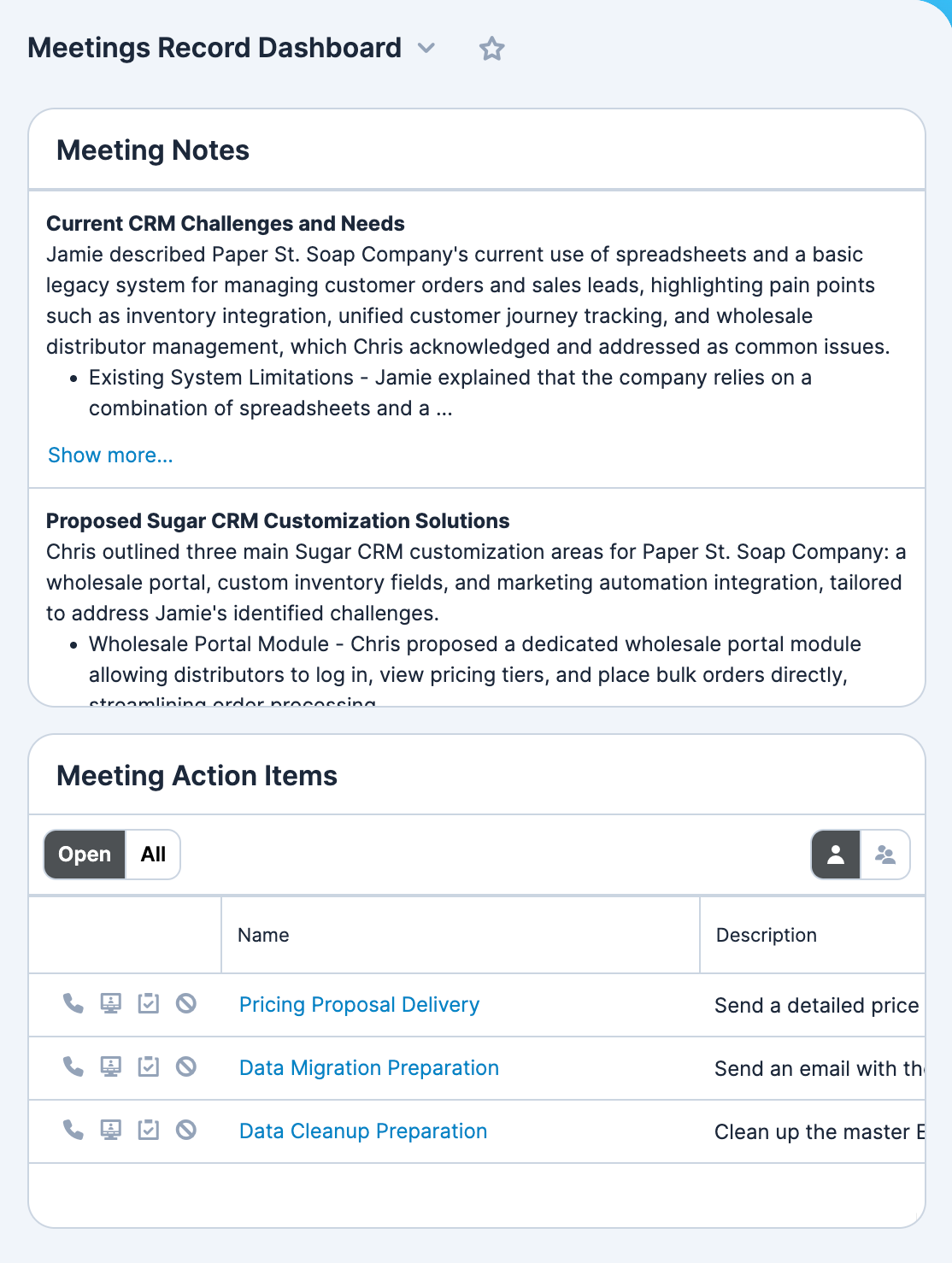
Users with a paid Microsoft Copilot subscription can have meeting summaries and action items automatically imported into their Sugar meeting records. Review all the key discussion points our Meeting Notes dashlet. Our Action Items dashlet can be added to any dashboard and gives users quick click access to create the critical activities to ensure nothing falls through the cracks.
Message your colleagues without leaving Sugar
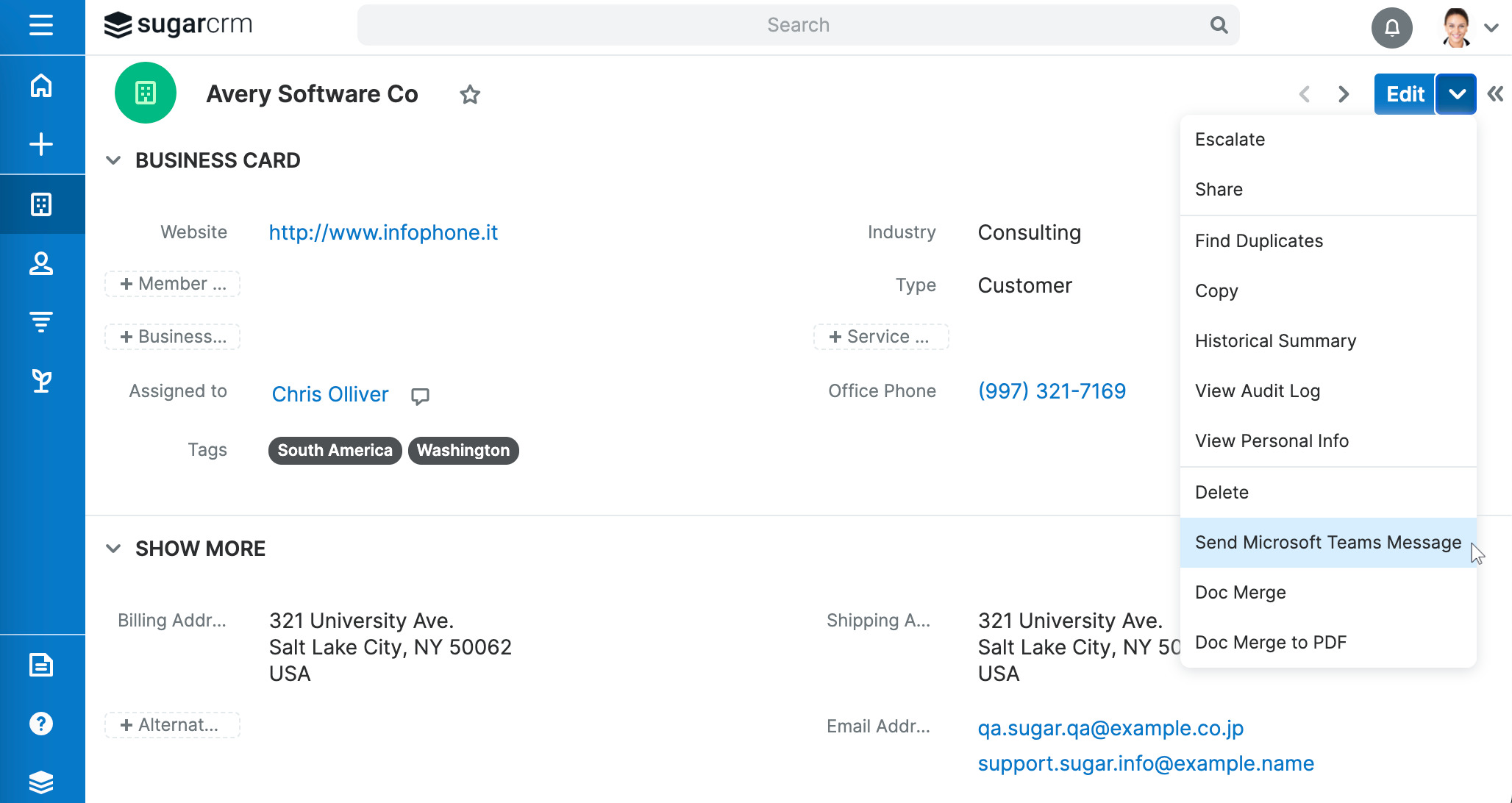
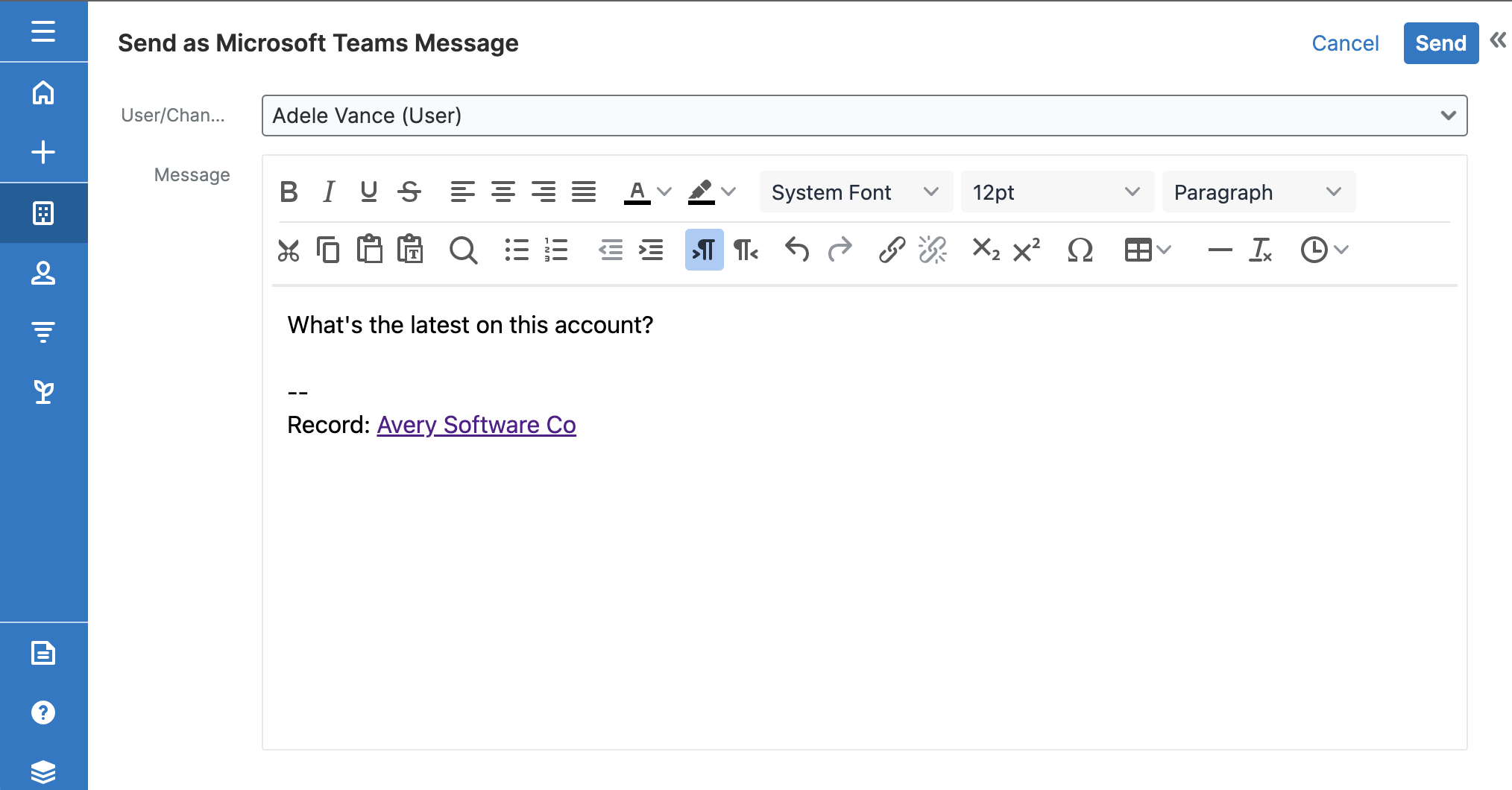
Need to touch base with someone about that opportunity? Just choose "Send Microsoft Teams Message" from any Sugar record's actions menu to instantly send a chat to a user or channel. Upsert® Connector for Microsoft Teams preloads your message with a link to the record, and you can add your ideas to the content before hitting send.
Quickly send messages to any user
Hover over the Teams icon next to any user's name and choose "Send in Sugar".
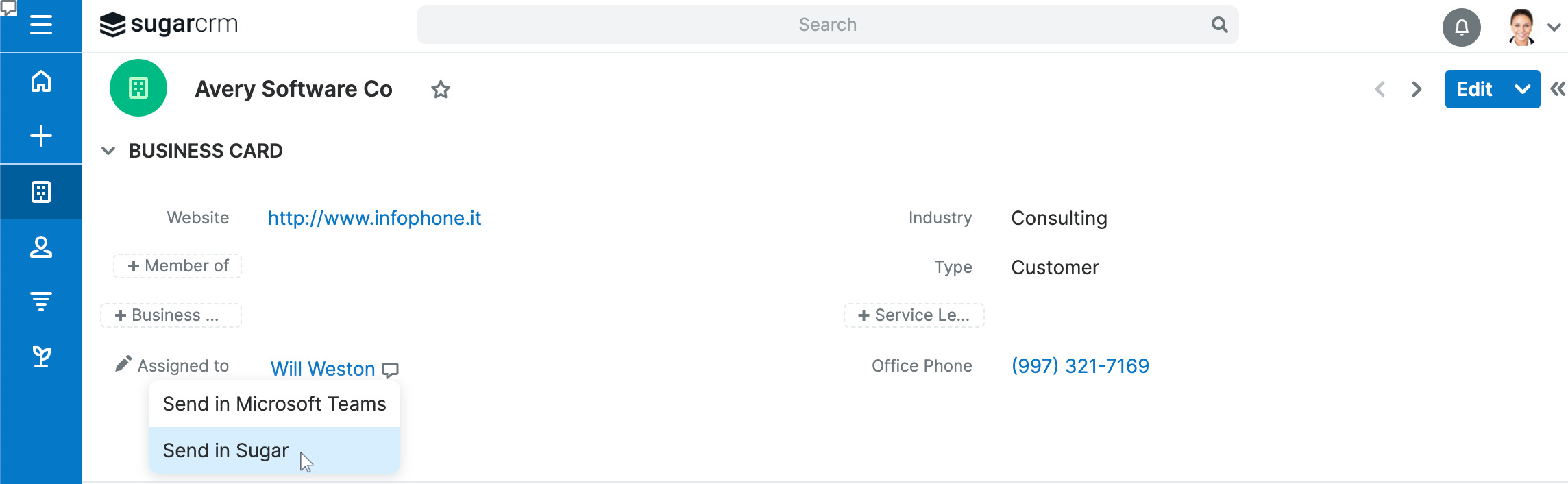
If you're viewing a specific record in list view or record view, the connector preloads your message with a link to the record, and you can add your ideas to the rich-text editor in Sugar before you send your Teams message to the user.
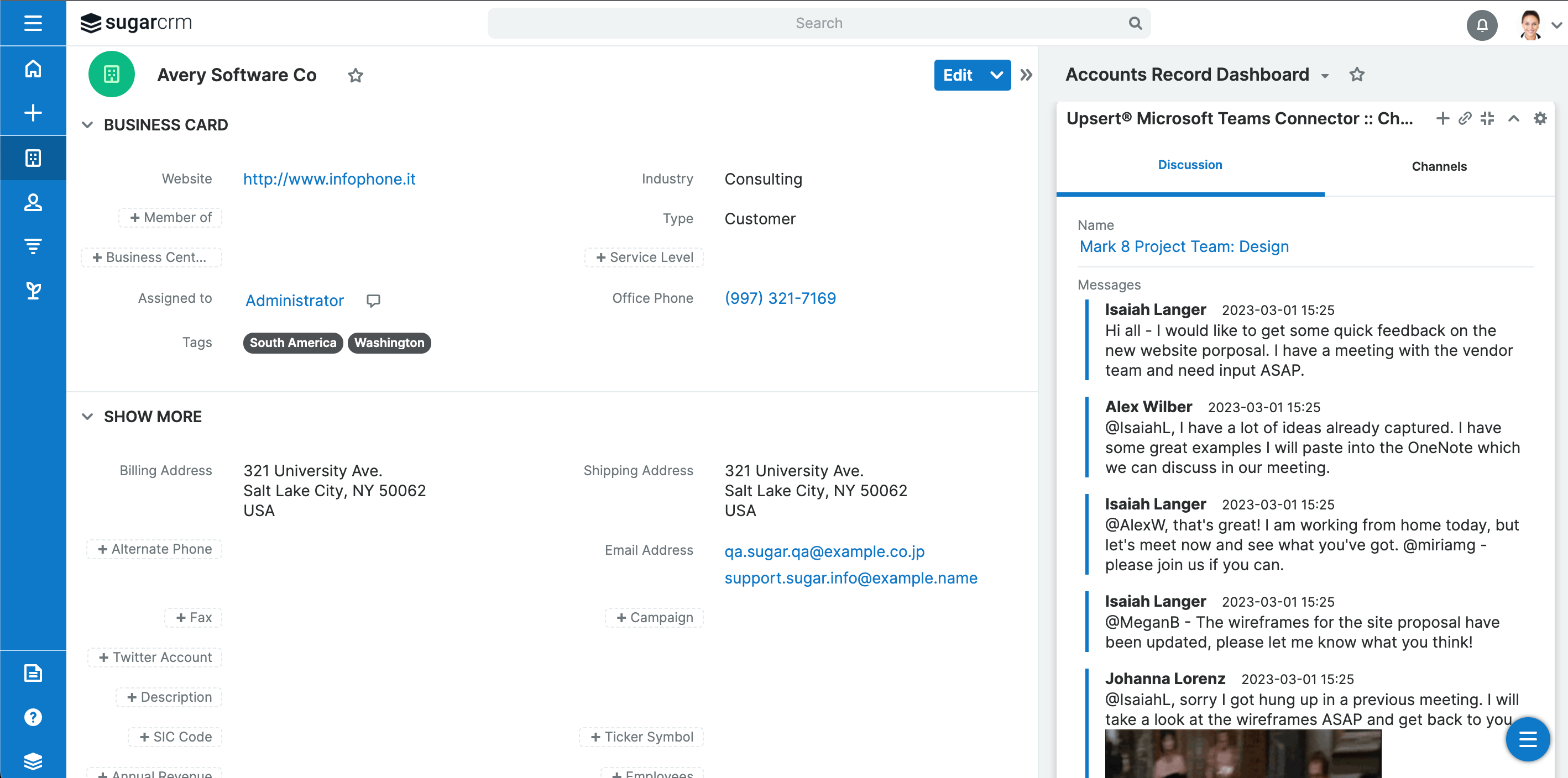
Create and view channels that are related to your Sugar records
With the Upsert® Connector for Microsoft Teams: Channels record view dashlet, you can relate multiple new or existing channels to the Sugar record, and read the channel discussions right there in the dashlet.
Launch your Microsoft Teams app right from Sugar
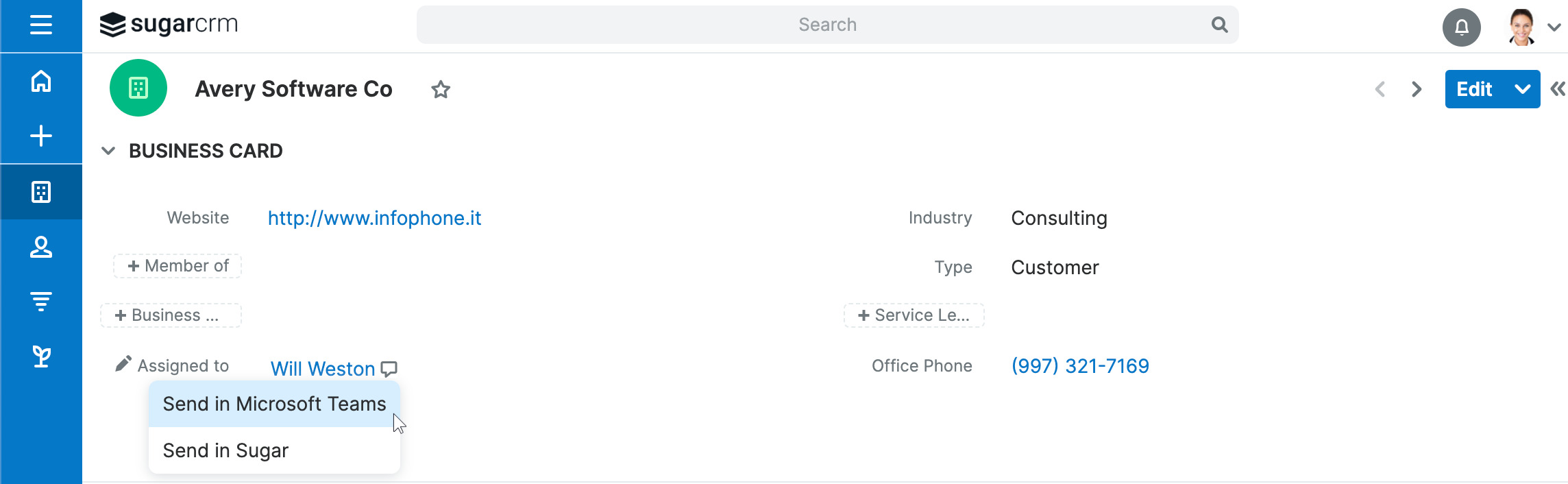
Less clicking means more time for selling! You don't need to go find and click on Teams in your computer's sidebar and then search for the right person to talk to when you've got the Upsert® Connector for Microsoft Teams installed. Just hover over the Teams icon next to a user's name in Sugar and choose "Send in Microsoft Teams." Your desktop Teams app will open to the right place with a link to the current record ready to go.
Generate Microsoft Teams meeting links
When you set up meetings through Sugar, you'll have the option to generate a unique Microsoft Teams meeting link. The link saves with the meeting record and can be accessed from Sugar's calendar.
Do more before Hello with the Call Center upgrade add-on
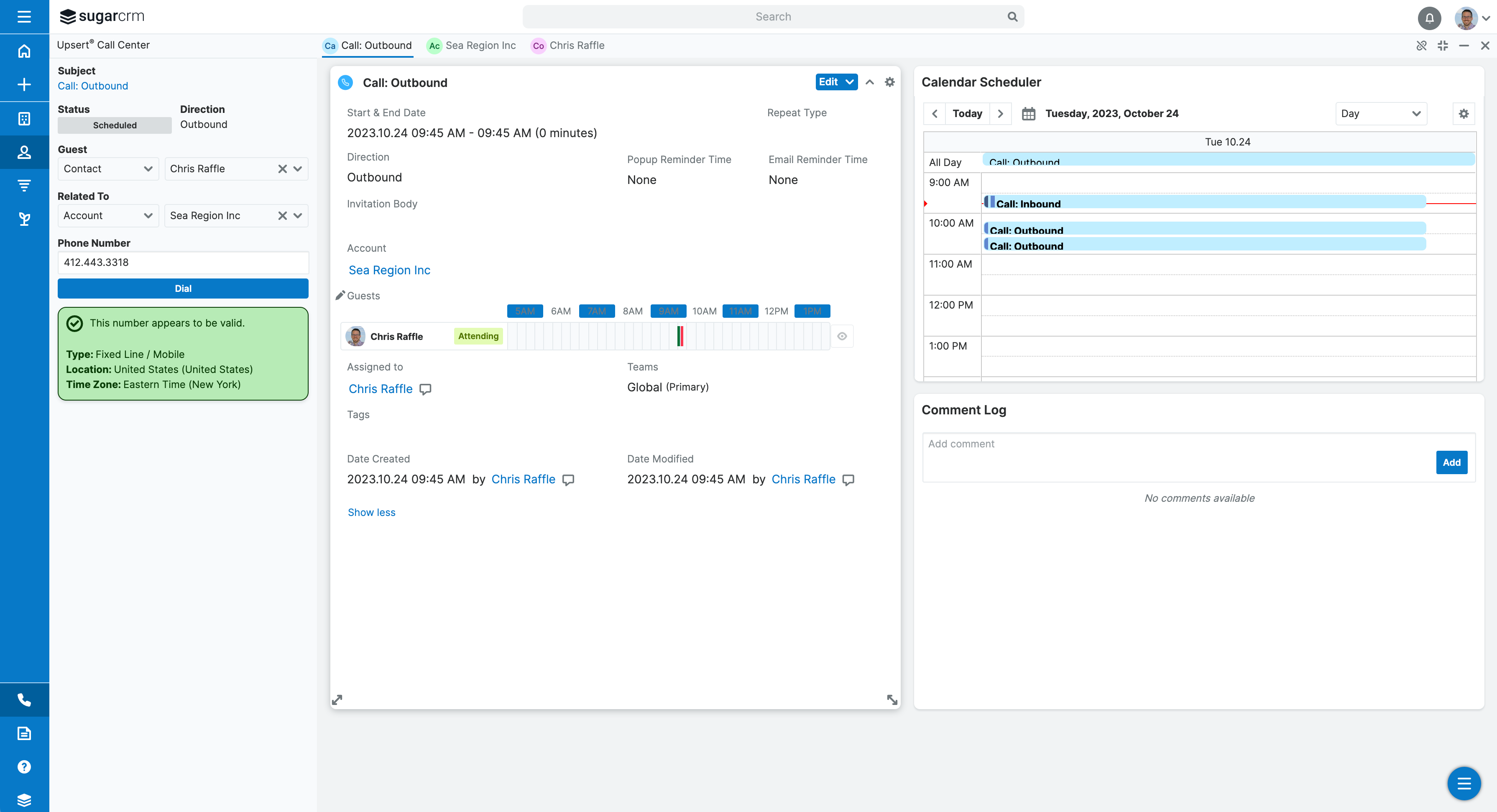
Upgrade to the Call Center add-on for Microsoft Teams Phone users to get phone-number derived insights like line type, location, and time zone before you even make a call, so you can gear up for what you want to say. Call Center also flags phone numbers that appear to be invalid before you waste the time it takes to dial them.
Hands-free call logging with the Call Center upgrade add-on
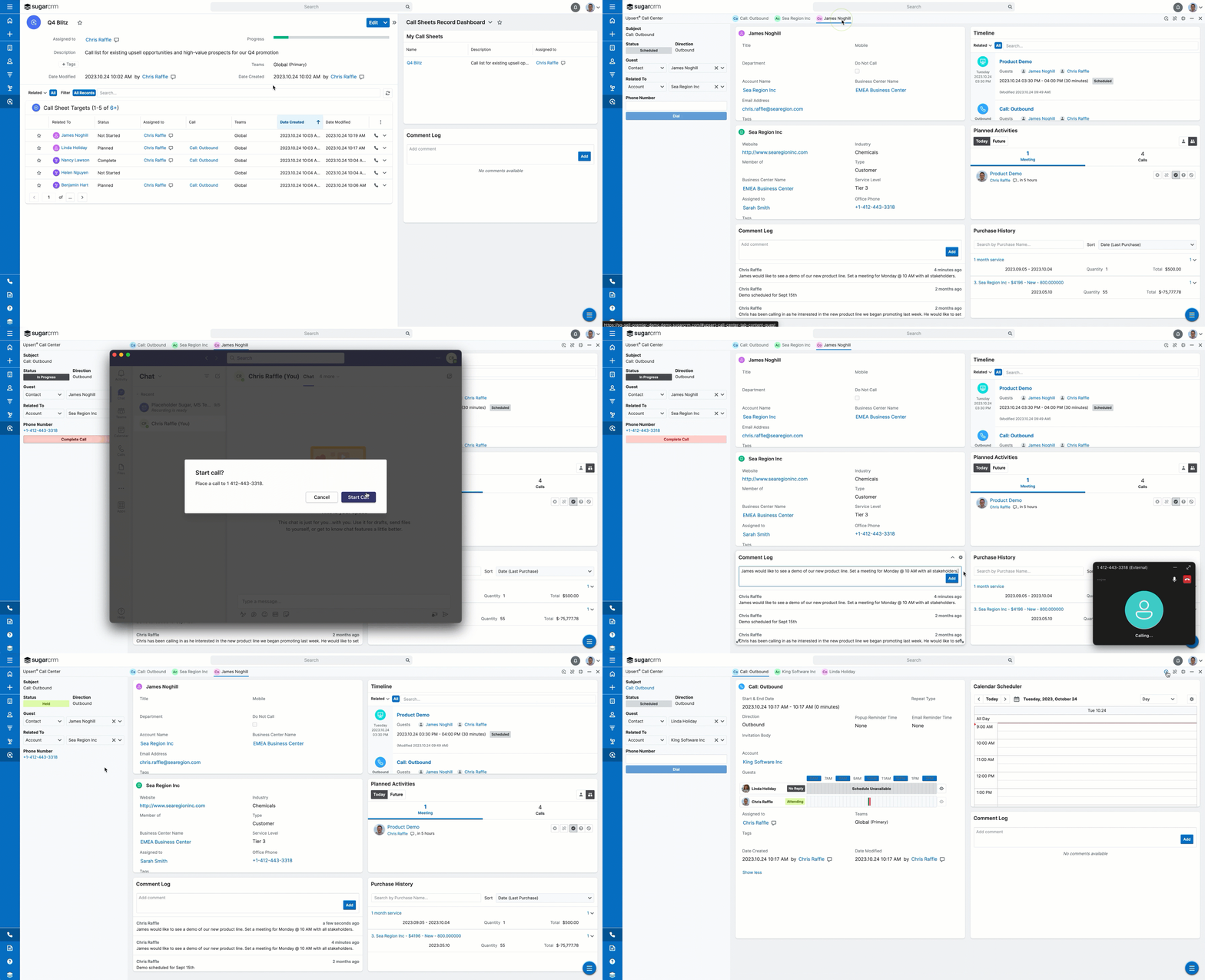
Once you make or receive a call through Microsoft Teams Phone, the Call Center add-on automatically creates the SugarCRM call record for you, relates it to the appropriate person and account, and logs your call duration when you hang up. It will even relate the call to entities in custom modules. All you need to do is enter the conversation outcome and notes. This auto-create functionality saves you time by letting you focus on what was said and not get bogged down with data-entry overhead.
What's more, when you know that every call that your team makes and takes is getting logged, you can rest assured that you have the data you need to analyze trends and adjust your strategies on the fly. You can even align the data with corresponding events like a product launch, recall, or marketing blitz to track the effectiveness of your campaigns.
Get the customer insights that matter to you with the Call Center upgrade add-on
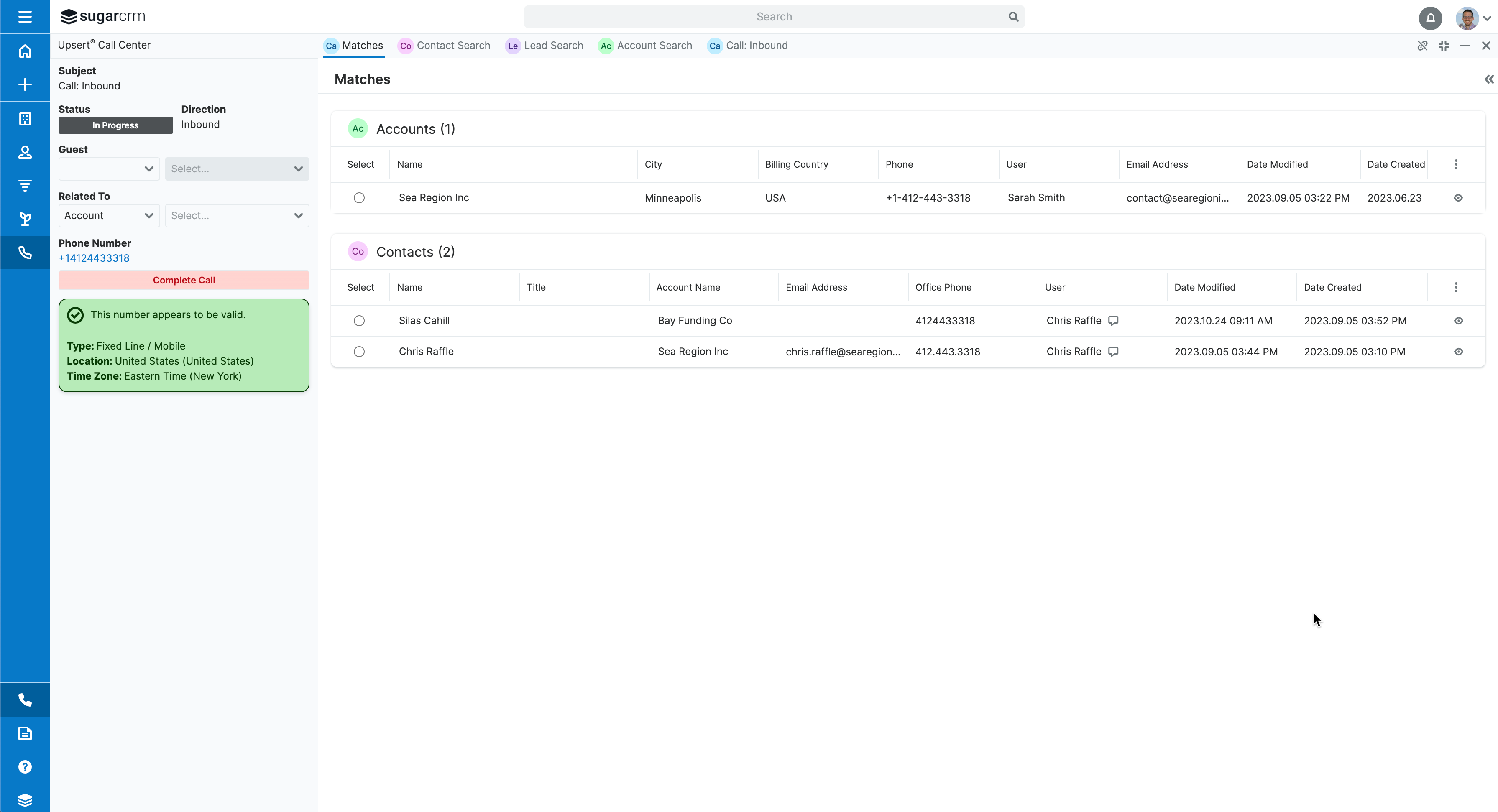
When you schedule, make, or receive a call, you'll instantly have a 360-degree view of the customer's history and past interactions through Sugar's familiar and powerful UI. You can leverage focus drawers and custom dashboards to gain immediate access to the customer's data without navigating away from your call. Entice your agents to improve the quality of customer data by making it super simple to update details on the fly.
Use call sheets to spark actionable connections with your prospects
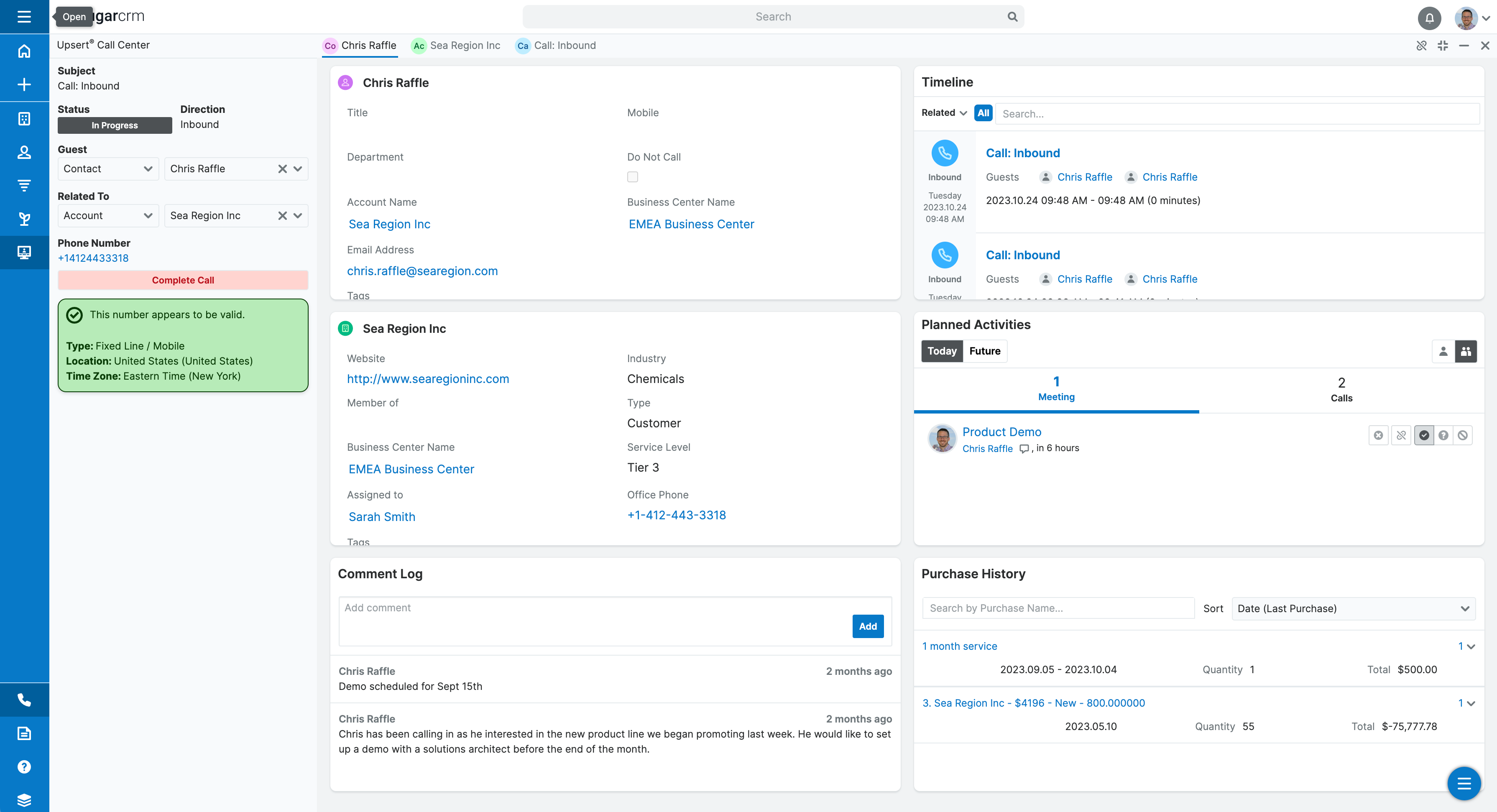
Call Sheets (included with the Call Center upgrade add-on) is a game-changing feature that empowers you to effortlessly organize and execute call lists for any call campaign including hot leads, customer upsell opportunities, and customer service followups. Say goodbye to scattered notes and spreadsheets; our intuitive CRM tool enables you to centralize your call targets and execute calls with ease. With real-time insights and tracking, you'll always know where your prospects stand, helping you build stronger relationships and close deals faster. Elevate your sales game with Call Sheets and watch your productivity and conversion rates soar!
Purchase requirements
Base Connector: - 10 User minimum - Microsoft Teams license sold separately - Includes: Messaging, channels, meeting links
Call Center Add-On (optional upgrade): - Requires purchase of base Connector (above) - Microsoft Teams Phone license sold separately - Adds: Pre-call intelligence, automatic call logging, caller insights, Call Sheets
System requirements
- Sugar Sell (all Editions), Serve, Enterprise, and Professional products
- Base MS Teams connector: Versions 12.0 and higher
- Call Center upgrade add-on: Versions 12.3 and higher
- Hosted in SugarCloud or on-site
Looking for something specific?
We regularly update our plugins with features requested by customers like you. Just let us know what you need to succeed!

