Seamlessly connect your SugarCRM and HubSpot to unify your sales and marketing data. This integration enables effortless two-way synchronization of Accounts, Contacts, Leads, and Opportunities, ensuring that both systems stay perfectly aligned. Empower your teams with real-time updates, improved lead management, and accurate pipeline visibility all without manual data entry. Boost collaboration between marketing and sales, enhance customer engagement, and drive smarter business decisions.
Admin Guide
Process to get api Key
1. Go to HubSpot Settings, and in the Integration section, click on Connected Apps.
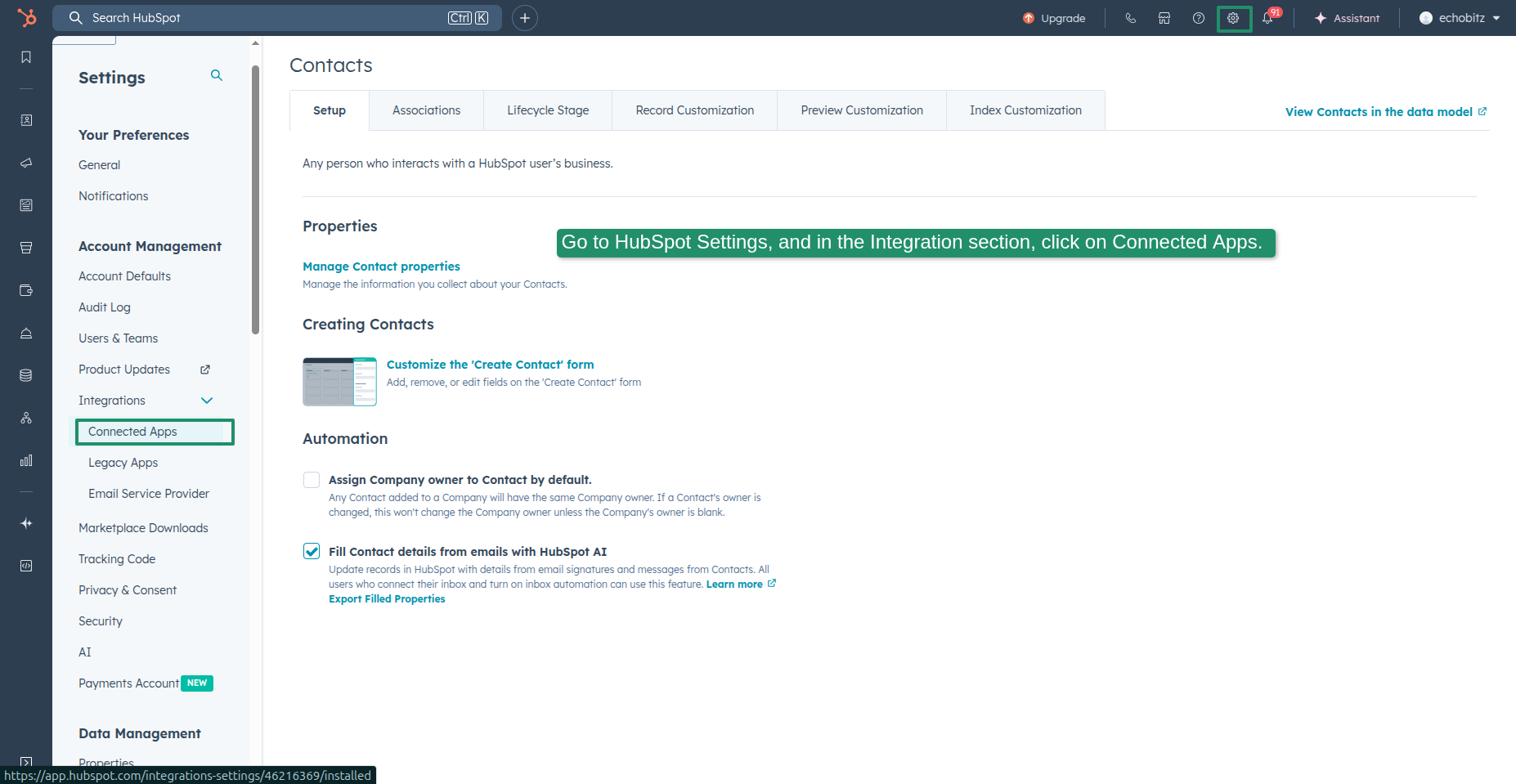
2. Copy the Access Token.

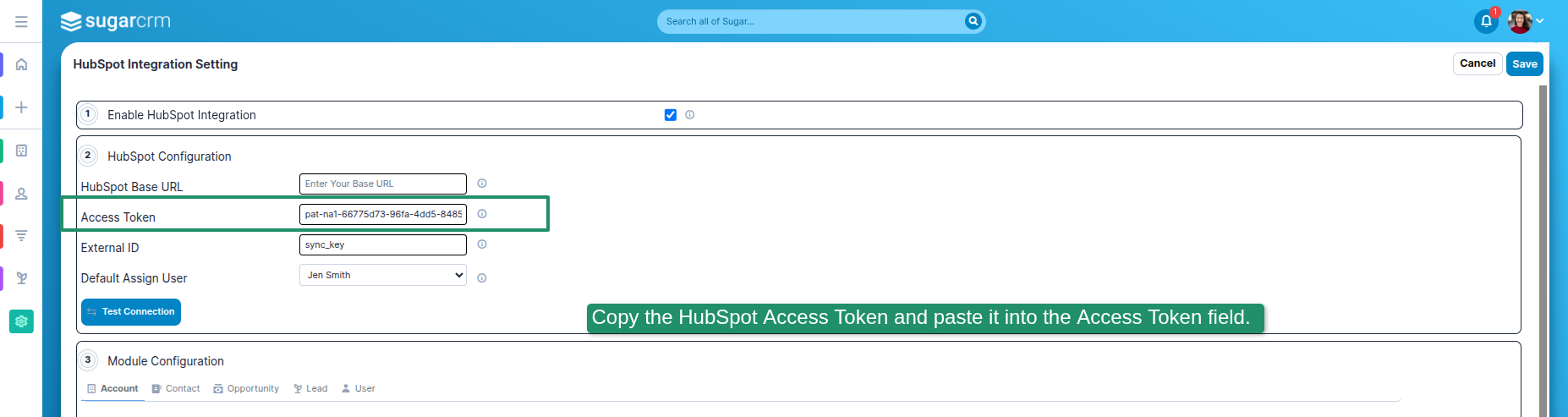
3. Copy the HubSpot Access Token and paste it into the Access Token field.
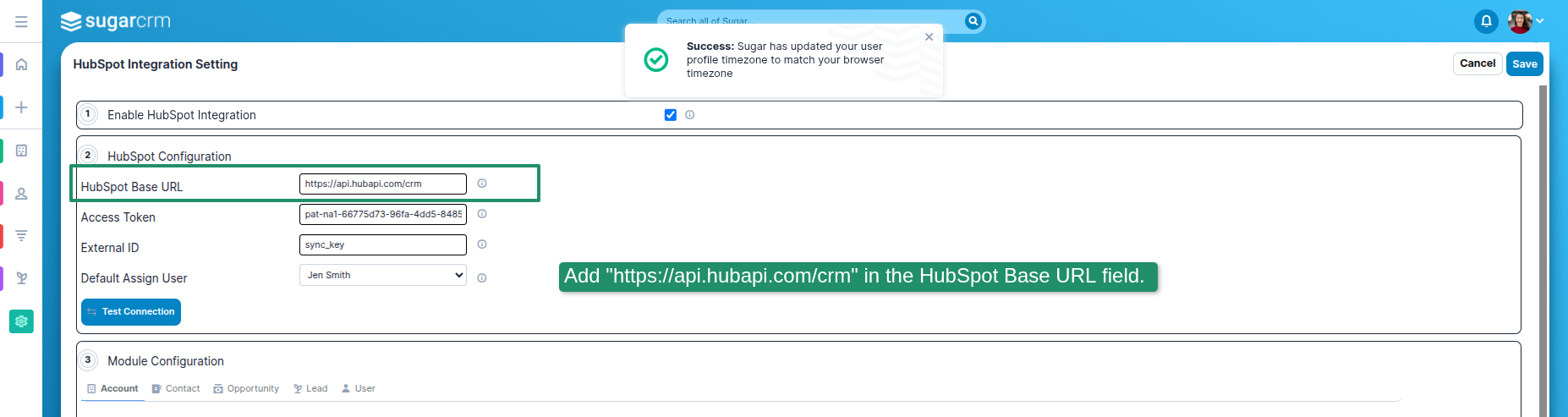
4. Add "https://api.hubapi.com/crm" in the HubSpot Base URL field.
5. 1. Automatic Record Creation After “Account Last Sync Date” When Scheduler Is Active.| 2. Add a Selection Field Option in the "Accounts Dropdown Mapping" field. | 3. Account Related Modules and Activities.

6. Click on the Sync Fields button, and then map the SugarCRM and HubSpot fields.

 Saving Comment...