


Seamlessly connect your SugarCRM and HubSpot to unify your sales and marketing data. This integration enables effortless two-way synchronization of Accounts, Contacts, Leads, and Opportunities, ensuring that both systems stay perfectly aligned. Empower your teams with real-time updates, improved lead management, and accurate pipeline visibility all without manual data entry. Boost collaboration between marketing and sales, enhance customer engagement, and drive smarter business decisions.
User Guide
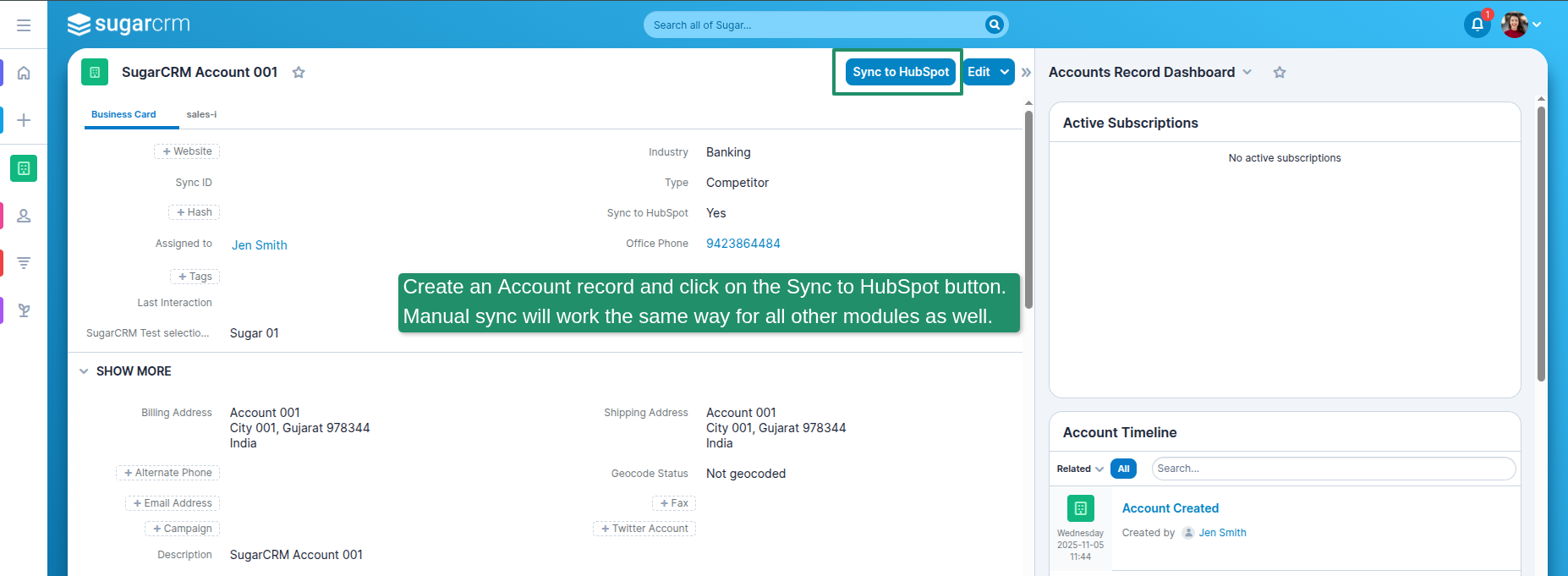
1. Create an Account record and click on the Sync to HubSpot button. Manual sync will work the same way for all other modules as well.
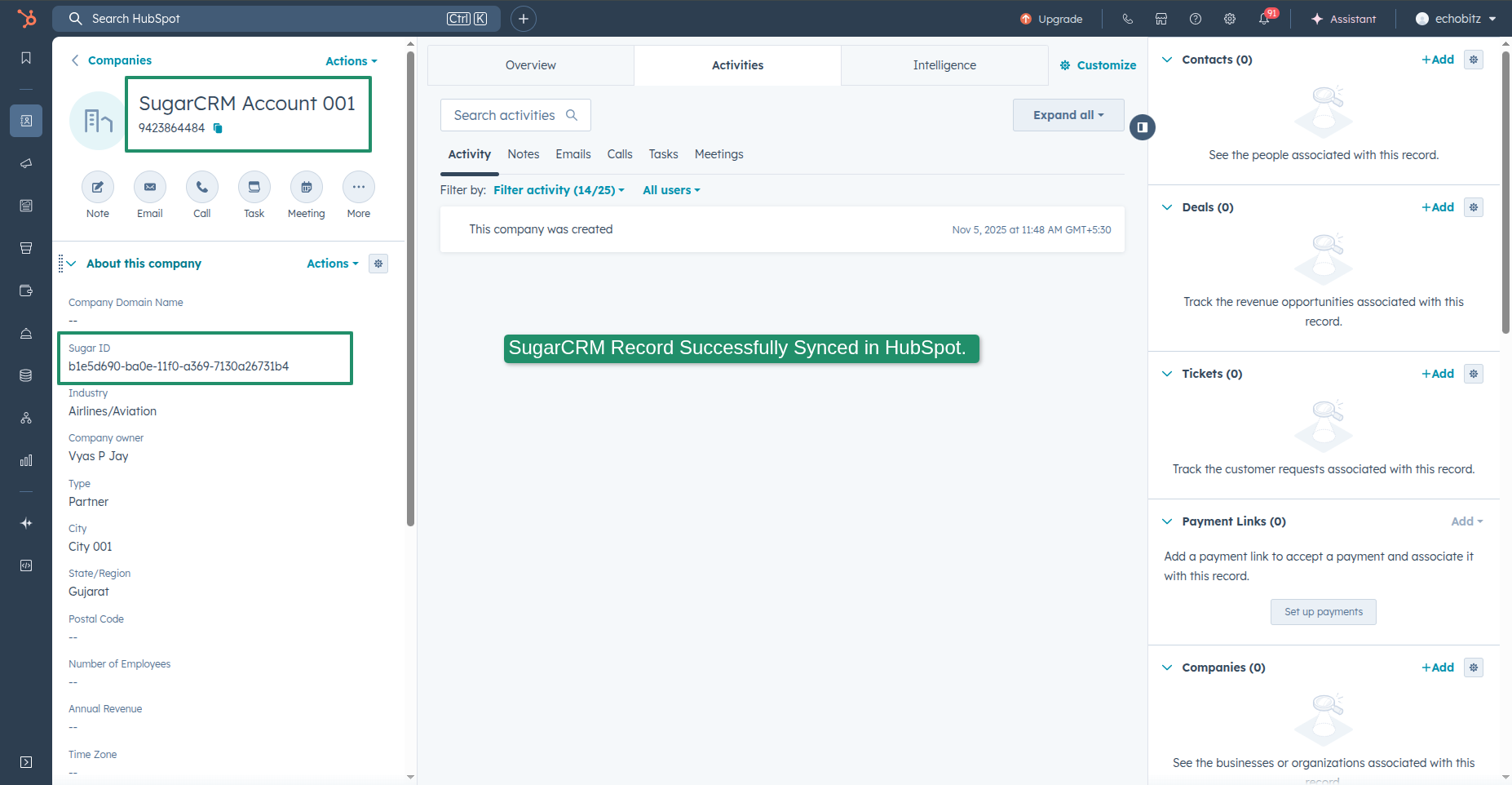
2. SugarCRM Record Successfully Synced in HubSpot
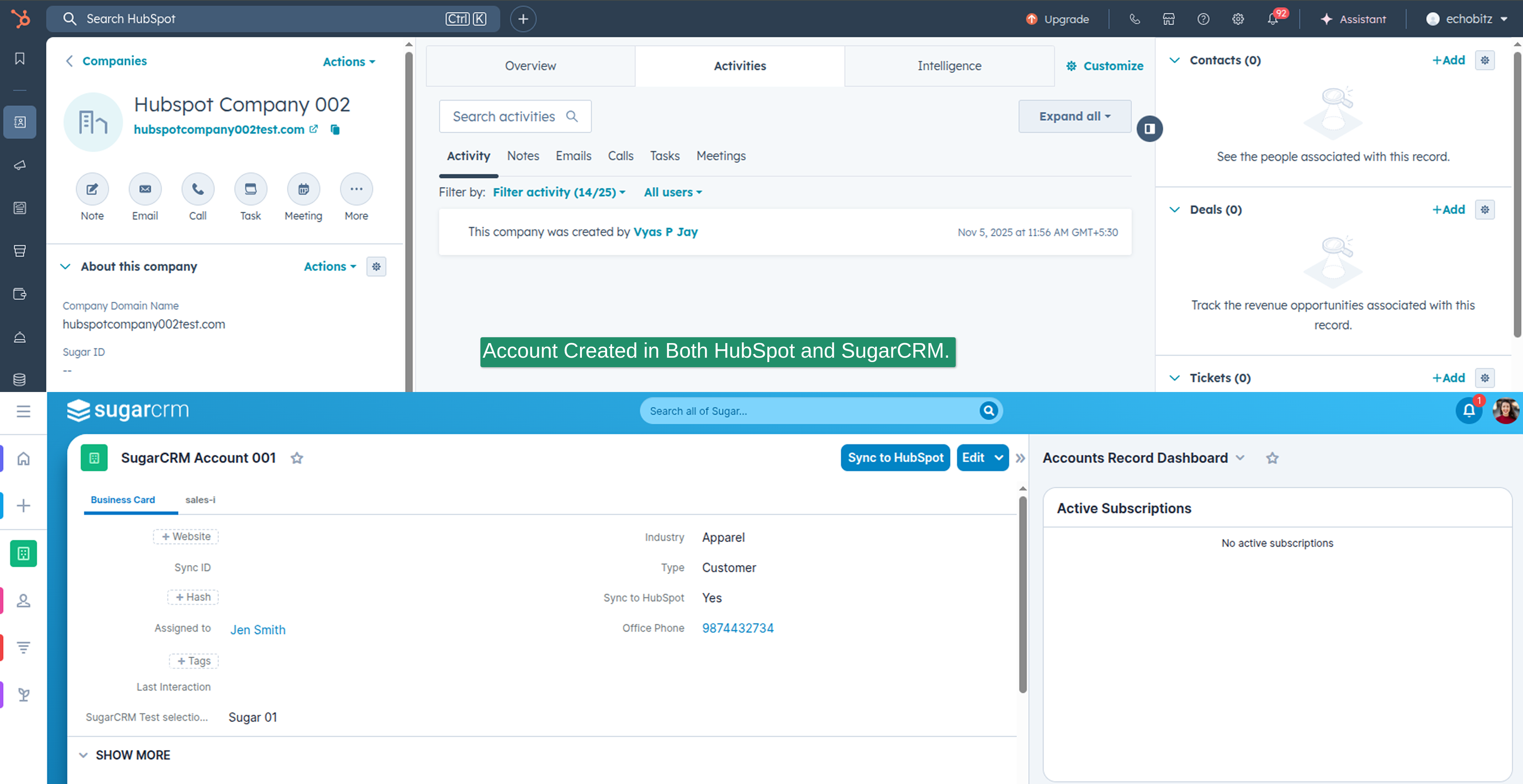
3. Account Created in Both HubSpot and SugarCRM
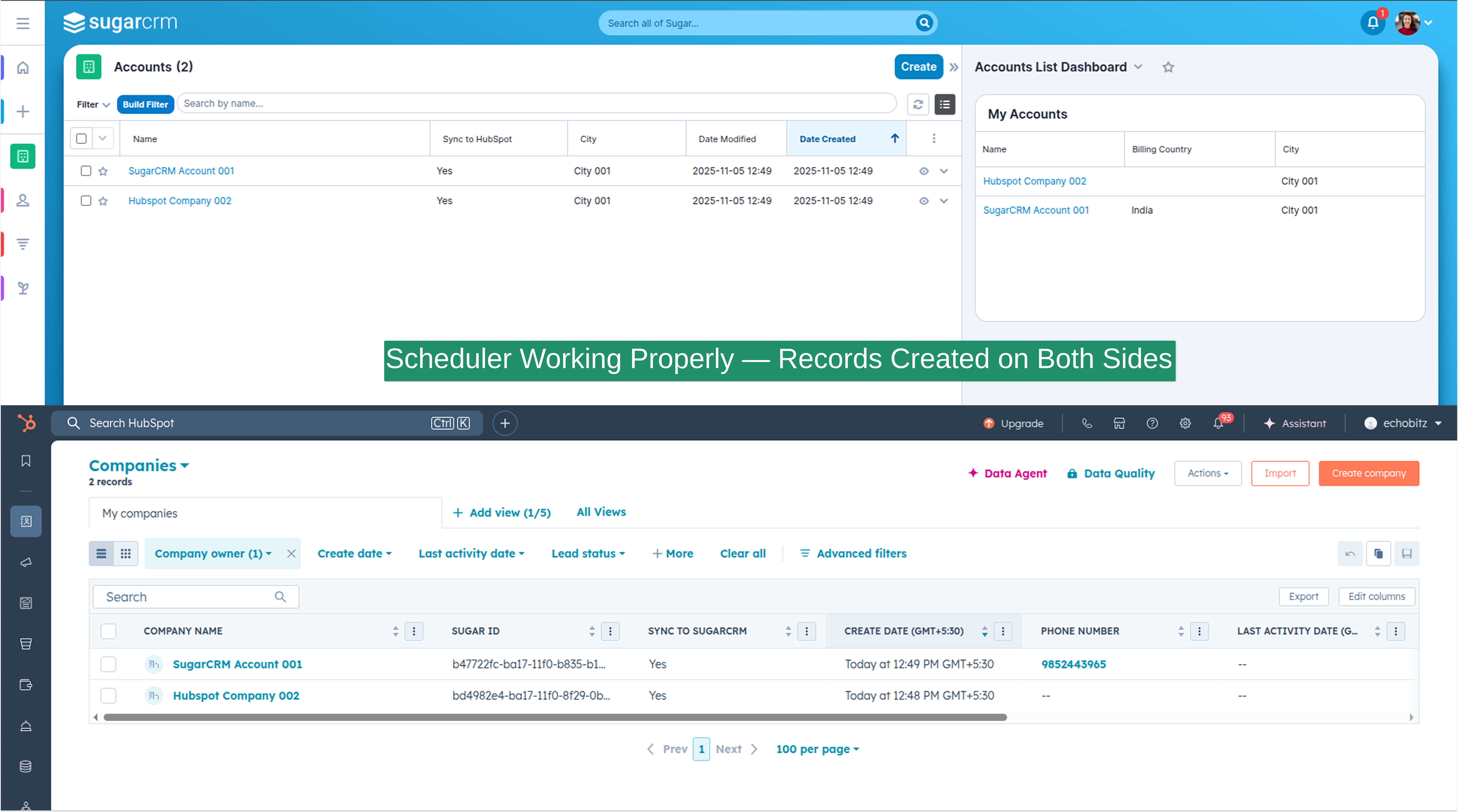
4. Scheduler Working Properly — Records Created on Both Sides
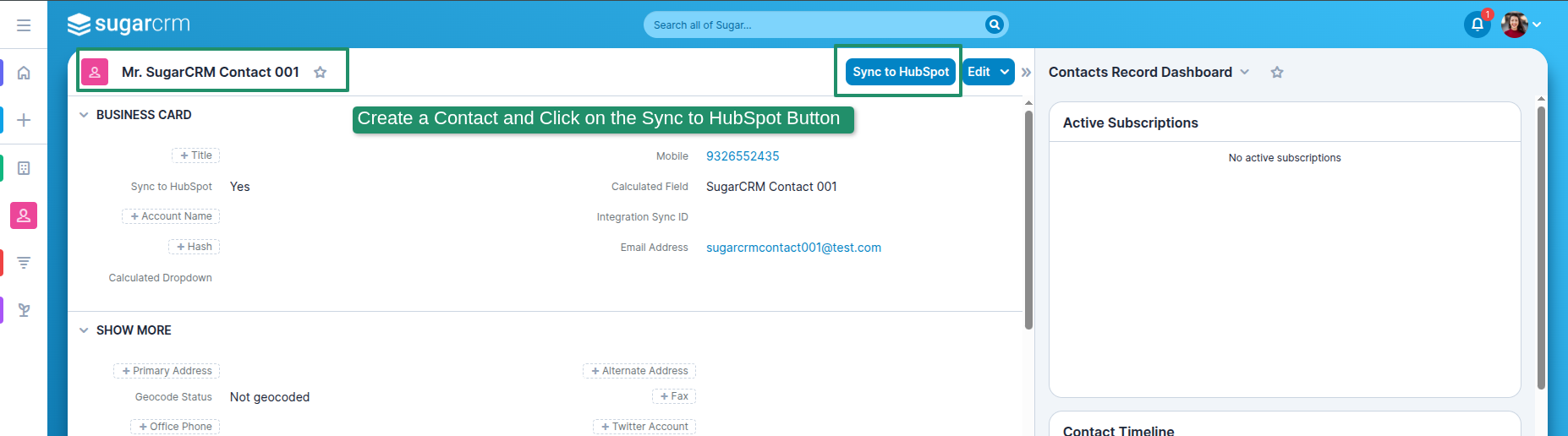
5. Create a Contact and Click on the Sync to HubSpot Button
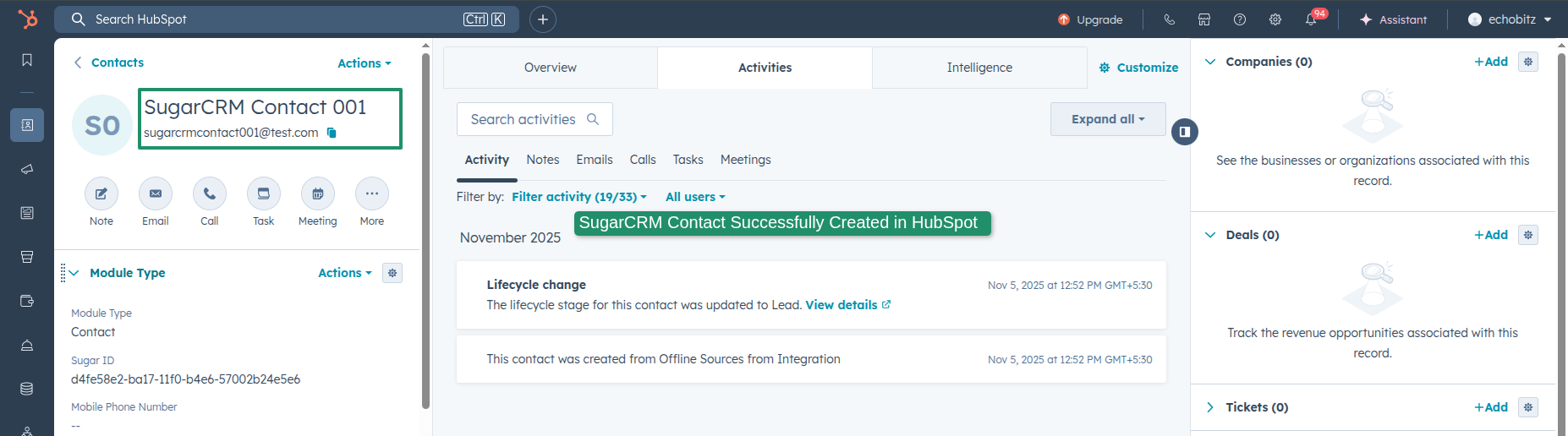
6. SugarCRM Contact Successfully Created in HubSpot
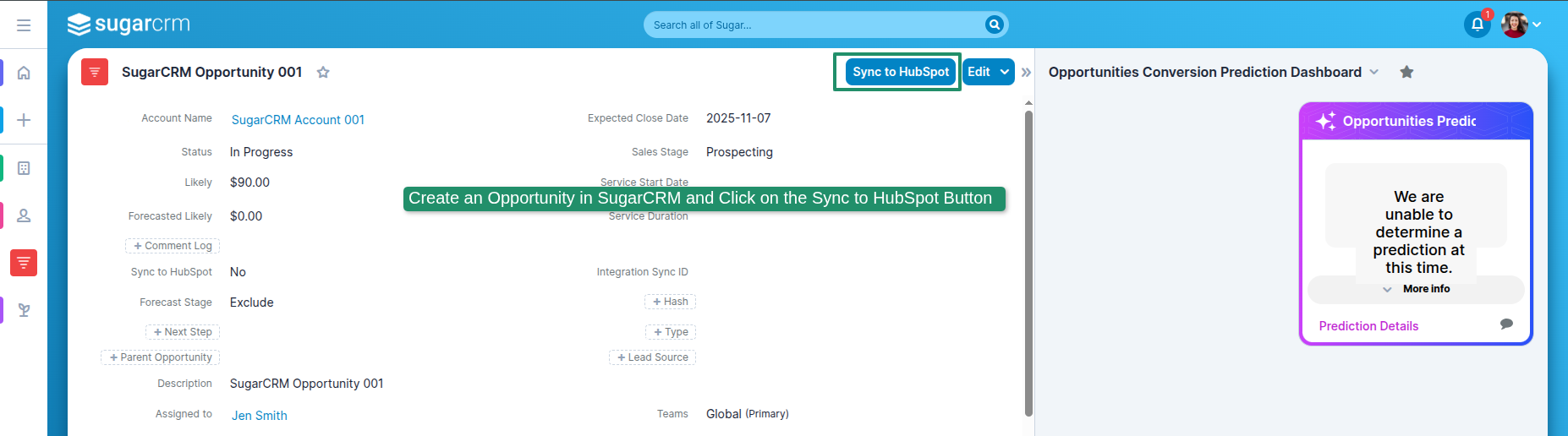
7. Create an Opportunity in SugarCRM and Click on the Sync to HubSpot Button
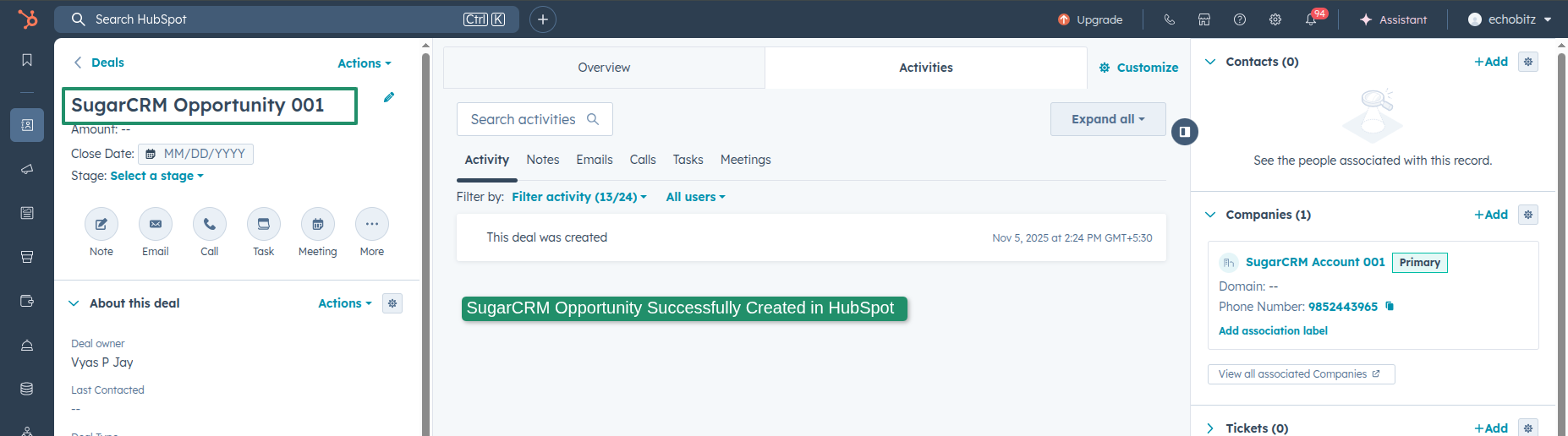
8. SugarCRM Opportunity Successfully Created in HubSpot
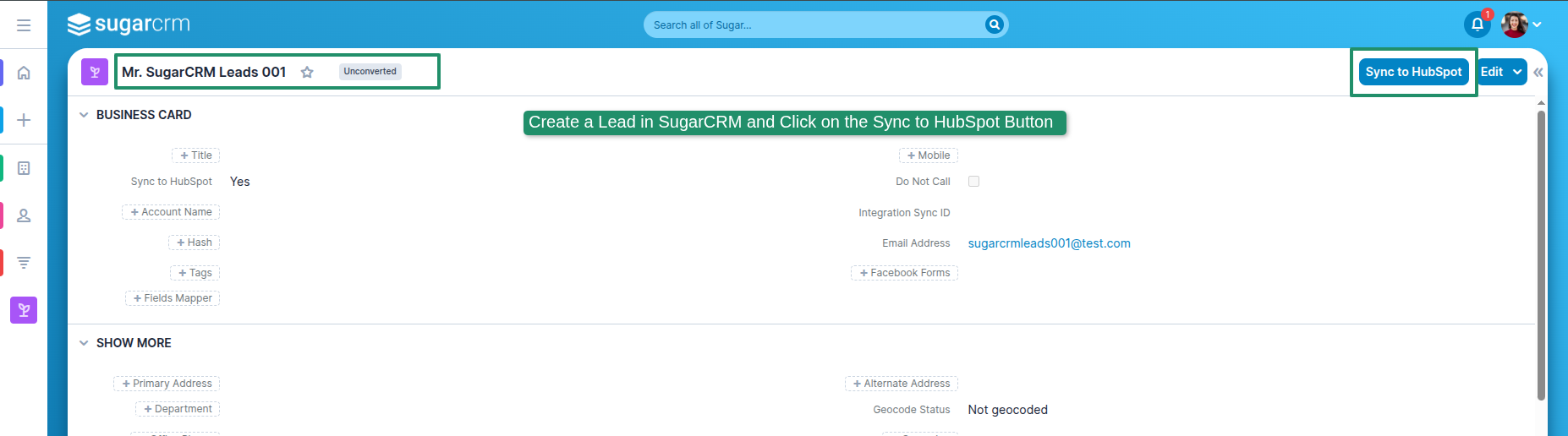
9. Create a Lead in SugarCRM and Click on the Sync to HubSpot Button
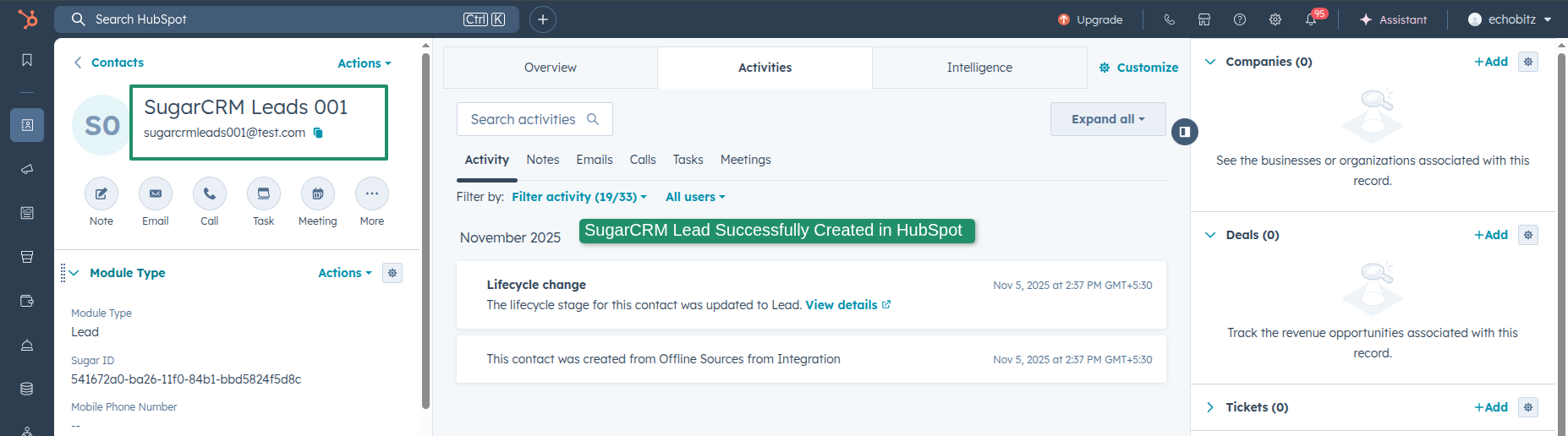
10. SugarCRM Lead Successfully Created in HubSpot




4 months ago
7. Create an Account record and click on the Sync to HubSpot button. Manual sync will work the same way for all other modules as well.